I've built several CRM-style systems with Laravel — lead tracking, client portals, HRMS tools, and internal admin panels. Every project is different, but the process is almost always the same.
Clients often ask: "Where do we even start?"
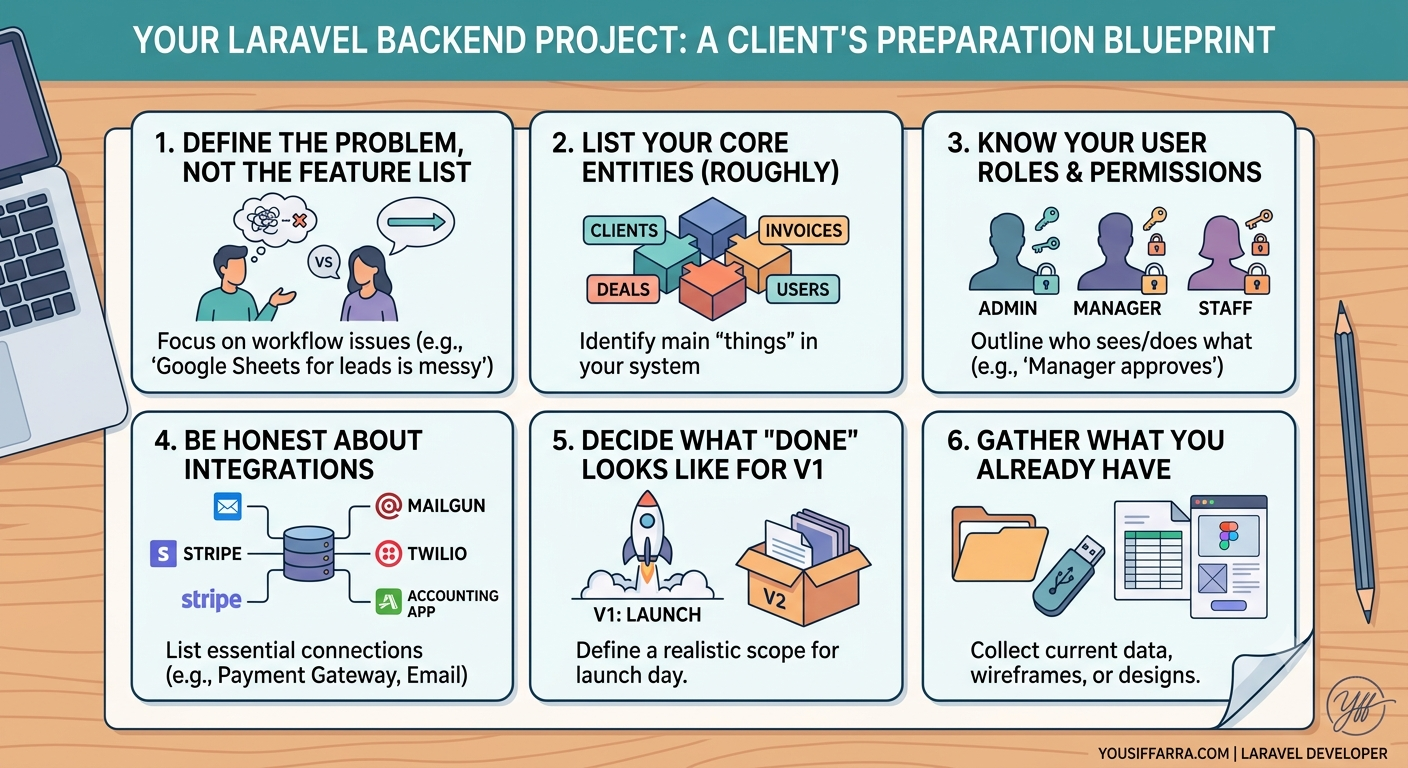
This post walks through how I approach a CRM from zero to launch. If you read my previous article on preparing before hiring a developer, think of this as what happens next once we're aligned and ready to build.
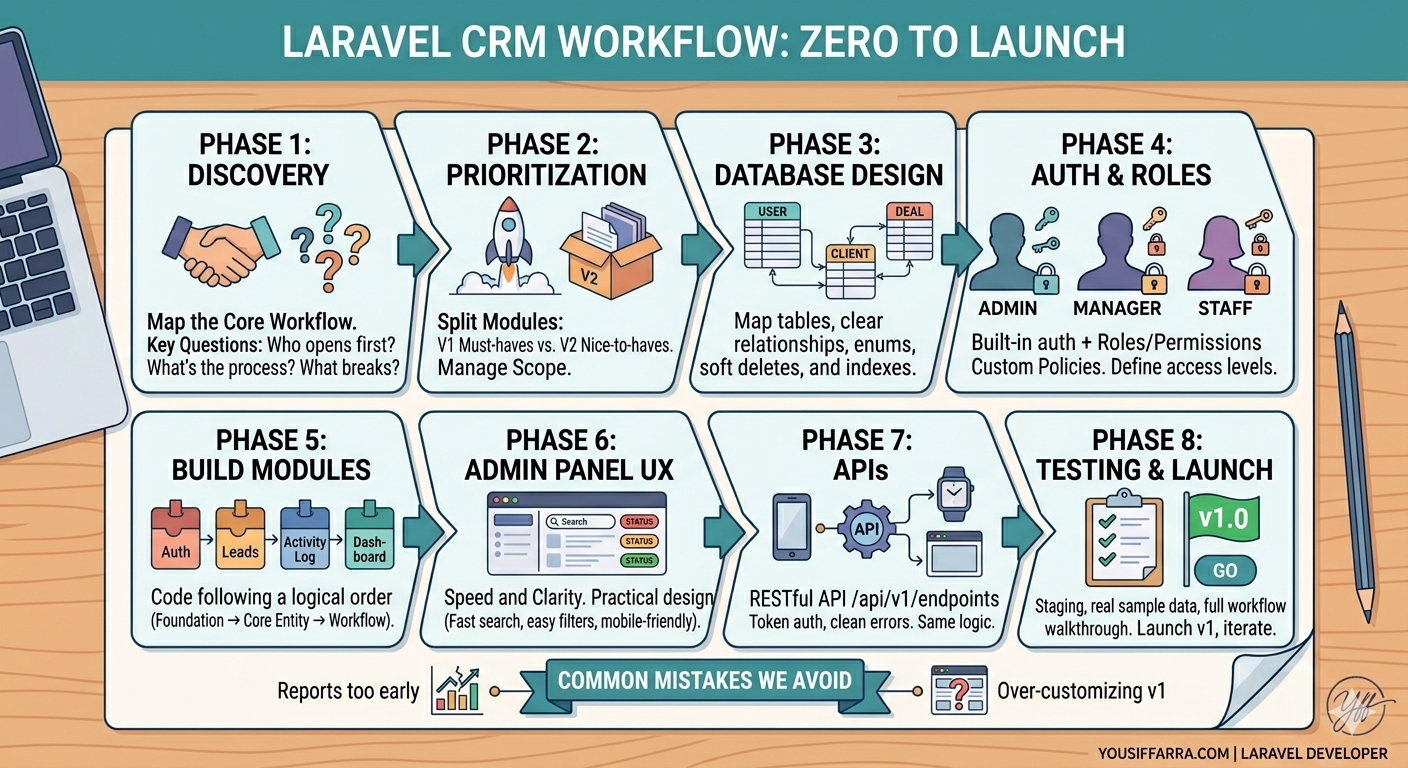
Phase 1: Discovery — understand the workflow first
Before writing code, I need to understand how work actually happens today.
Typical questions:
- Who opens the app first thing in the morning?
- What do they do step by step?
- Where does data come from? Where does it go?
- What breaks today? (Missed follow-ups, duplicate entries, no reports?)
- What does success look like in 3 months?
I don't need a 100-page document. A 30–45 minute call plus rough notes is often enough to map the core workflow.
Example: A sales CRM might flow like this:
- Lead comes in → assigned to a rep → contacted → qualified → proposal sent → won or lost
Once that flow is clear, features stop being random and start serving the business.
Phase 2: Define modules and priorities (v1 vs v2)
A CRM is rarely one big feature. It's a set of modules:
- Users & roles
- Leads / clients
- Deals or projects
- Tasks / follow-ups
- Notes & activity log
- Reports / dashboard
- Notifications (email, in-app)
- Integrations (payments, email, SMS)
Together with the client, I split these into:
- Must-have for v1 — launch blockers
- Should-have — important but can wait 2–4 weeks
- Nice-to-have — future phases
This is where scope creep gets controlled. v1 should solve the main pain, not every idea at once.
Phase 3: Database design — entities and relationships
This is the backbone of any Laravel backend. I map the main tables early:
- users — with roles/permissions
- clients or companies
- leads / contacts
- deals, orders, or projects
- invoices, payments (if needed)
- activities or audit_logs — who did what, when
I focus on:
- Clear relationships — a lead belongs to a user, a deal belongs to a client
- Status fields — enums or small lookup tables instead of magic strings
- Soft deletes where business data shouldn't vanish permanently
- Indexes on columns used in search and filters
Bad database design is expensive to fix later. Spending time here saves weeks downstream.
Phase 4: Authentication, roles, and permissions
Almost every CRM needs different access levels:
- Admin — full control
- Manager — team data, approvals
- Staff — own records only
- Client (optional) — portal access to their data only
In Laravel, I typically use:
- Built-in authentication
- Role/permission packages or a clean custom policy layer
- Policies per model — ClientPolicy, LeadPolicy, etc.
Rule of thumb: if permissions are unclear in discovery, they must be clarified before building modules. Unclear permissions are the #1 cause of rework in CRM projects.
Phase 5: Build core modules in the right order
I don't build everything at once. Typical order:
- Auth + roles — foundation
- Core entity (leads/clients) — CRUD, list, search, filters
- Assignment & status workflow — the heart of the CRM
- Activity log / notes — accountability
- Dashboard — simple counts and recent activity
- Reports — once real data exists
- Integrations — when the core is stable
Each module gets:
- Migration + model + relationships
- Form validation (Form Requests)
- Service layer for business logic when needed
- Blade admin UI or API endpoints
- Basic tests for critical paths
Keeping logic out of controllers makes the codebase maintainable when the client asks for changes — and they will.
Phase 6: Admin panel UX — keep it practical
CRM users aren't looking for fancy UI. They want speed and clarity:
- Fast list pages with search and filters
- Clear status badges (color-coded)
- One-click actions where possible
- Sensible defaults (e.g. new lead → assigned to creator)
- Mobile-friendly lists when reps work in the field
I aim for an admin panel that feels obvious on day one, not one that requires a manual to create a lead.
Phase 7: APIs when needed
If the CRM connects to a mobile app, website, or third-party tools, I expose a RESTful API alongside the admin panel:
- Consistent naming (/api/v1/leads)
- Token auth (Sanctum)
- Pagination on list endpoints
- Clear error responses
- Rate limiting on public routes
The same business logic serves both the admin panel and the API — no duplicated rules in two places.
Phase 8: Testing, staging, and launch
Before launch:
- Staging environment that mirrors production
- Test with real sample data (not just "Test Client 1")
- Walk through the main workflow with the client
- Fix edge cases (empty states, permissions, bulk actions)
- Set up backups, error logging, and basic monitoring
Launch day is deploying v1 — not perfection. There's always a v1.1.
What clients get at the end of v1
A typical Laravel CRM v1 delivery includes:
- Deployed application on their server or cloud
- Admin panel for daily operations
- Role-based access
- Core workflow working end-to-end
- Basic documentation (how to add users, manage records)
- Handover call for questions
Ongoing maintenance, new modules, and integrations can follow as phase 2.
Common mistakes I avoid
- Building reports before the workflow works — reports on bad data aren't useful
- Skipping the activity log — clients always ask "who changed this?" later
- Over-customizing v1 — ship the core, iterate based on real use
- No ownership of hosting/deploy — I clarify who manages the server upfront
- Hard-coded business rules — status flows and settings should be configurable when possible
How this connects to hiring me
If you're planning a CRM or Laravel backend:
- Prepare using the checklist from my first post
- Share your brief through my hire page
- We align on v1 scope in a short call
- I build following the process above — transparent, phased, maintainable
I don't believe in black-box development. You'll know what's being built, in what order, and why.
Have a CRM or backend project in mind? Share the details on my hire page — I reply within 24–48 hours.